
How To Make A Flipbook Online? Here is a step-by-step instruction
Updated on: 08.06.2026
Creating a professional flipbook online doesn't require expensive tools or advanced technical skills — all you need is a PDF file and the right platform. This step-by-step guide walks you through the entire process, from preparing your PDF to sharing your finished flipbook on social media or embedding it on your website.
What You'll Need Before You Start
Before diving into the actual creation process, it helps to understand what's involved. The time commitment is modest — expect to spend between 10 and 20 minutes from start to finish, even if you're a complete beginner. You'll need a PDF file containing all your pages, and a free account on a flipbook platform. That's it.
If you've tried tools like Issuu, Magcloud, or Slideshare in the past and found them clunky or limited, you're not alone. Many designers and content creators hit similar walls — bugs, paywalls, or inflexible output options. The good news: there's a simpler path, and it starts with free flipbook publishing software that actually does what it promises.
Step 1: Create or Prepare Your PDF
Every flipbook starts with a PDF. If you already have one ready, you can skip ahead to Step 2. If not, you have plenty of options: export a Word or InDesign document, use a Photoshop magazine template from a resource like Graphicriver, or design your pages in any layout tool you prefer. A travel magazine, product catalog, or portfolio all work great as flipbook content.
Once your design is complete, save everything as a single PDF file. If your content is spread across multiple files, merge them using a free online tool before uploading. Then make sure your file meets these technical guidelines for the best result:
PDF preparation checklist
All pages must be included in a single PDF file
The PDF should not be password-protected
Fonts must be embedded in the PDF to display correctly
Text should remain as vector (no outlines or bitmaps)
No hidden layers in the document
Resolution optimized to at least 180 DPI
All pages must be the same size
Pages should be cropped — no visible cutting lines
Step 2: Create a Free Account
Head over to YUMPU Publishing and sign up for a free account using your email address. You'll receive a confirmation email with an activation link — click it and you're ready to go. The free plan gives you access to the core flipbook creation features, which is more than enough to get started.
If you're ready to take the leap, you can create your free account now and follow along with the steps below.
Step 3: Upload Your PDF
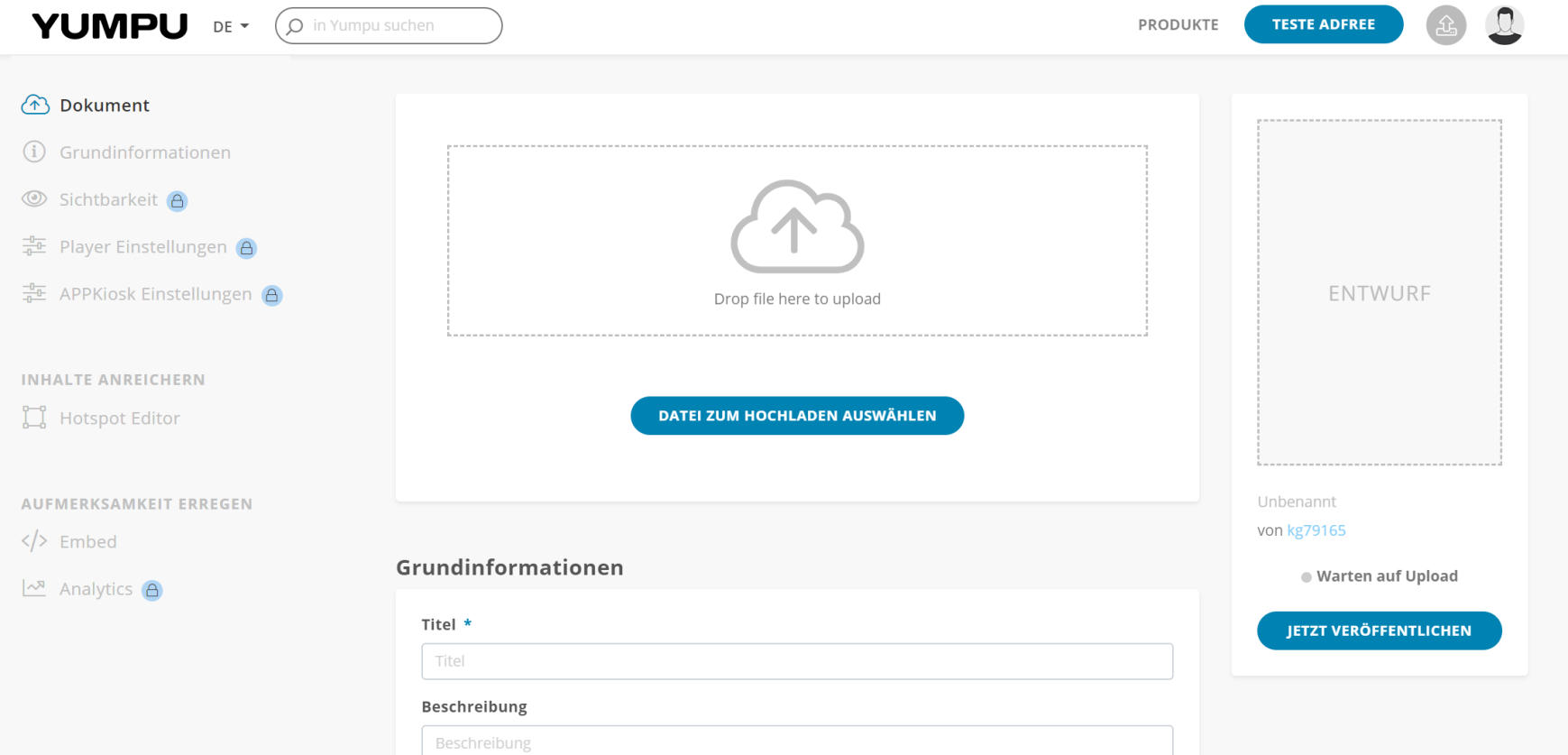
Once you're logged in, click the small upload icon in the top-right corner of the dashboard. Drag your PDF into the upload area and wait for it to process. The platform converts your file server-side, so the speed depends on your PDF's size — most uploads complete within a minute.

After uploading, your PDF is processed and converted into a page-turning digital flipbook. You'll be taken directly to the editing view where you can configure your publication.
Step 4: Configure Your Flipbook
This step has a bigger impact than many first-time publishers expect. Adding a descriptive title, a well-written description, and relevant tags doesn't just improve the reading experience — it directly affects how your flipbook ranks in Google and other search engines. Think of it as basic SEO for your digital publication.
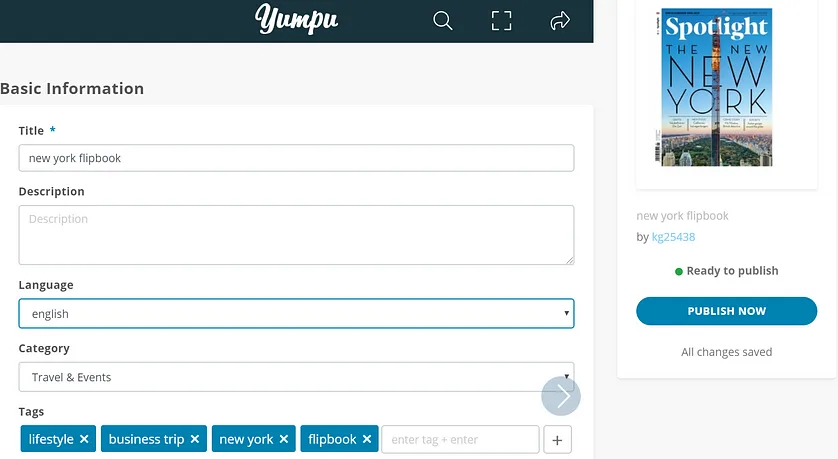
The platform may auto-extract tags from your PDF content. Review these carefully — remove any that don't accurately reflect your publication by clicking the small "x" next to them. Aim for at least five relevant tags to maximize discoverability in both the platform's own search and external search engines. This is one of the key advantages of using a digital magazine creator over simply sharing a raw PDF: your content becomes findable.
Step 5: Share and Embed Your Flipbook
With your flipbook published, you have two powerful distribution options: sharing directly on social media, and embedding it on a website or blog. Both are straightforward and take just a few clicks.
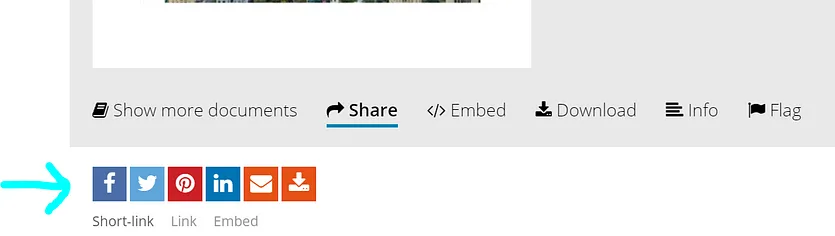
Sharing on social media
Click the "Publish Now" button, or navigate to "My Publications" in your profile to find your uploaded magazine. Then hit the "Share" button beneath the publication preview.
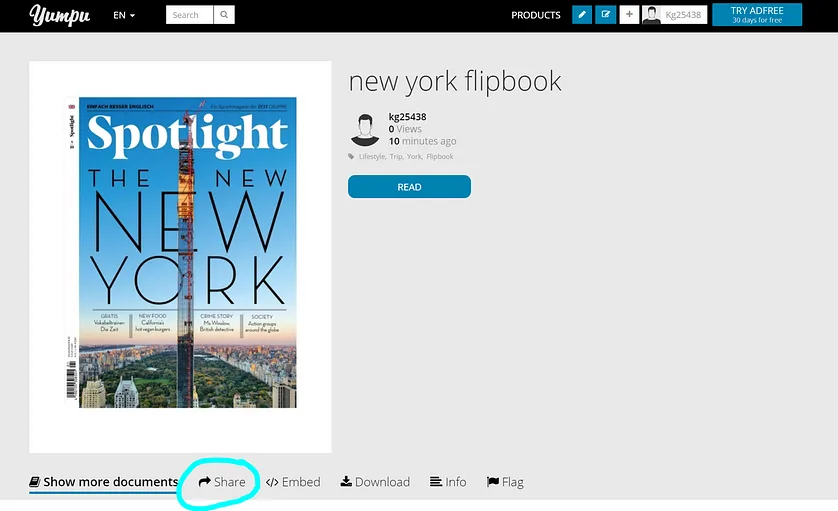
Select your preferred social network, add a title and short description, and confirm. Your flipbook link — complete with a visual preview — will appear in your feed. Sharing flipbooks on platforms like Facebook or LinkedIn consistently outperforms sharing plain PDF links, since readers can flip through pages directly without downloading anything.
Embedding on a website or blog
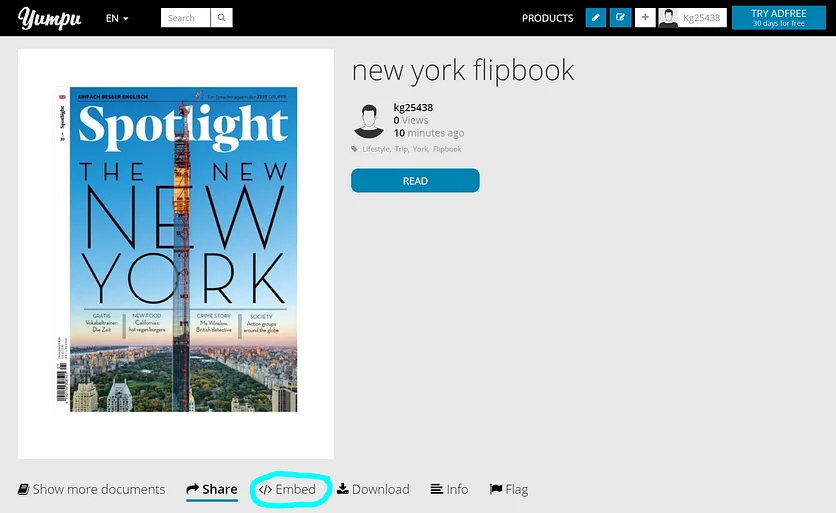
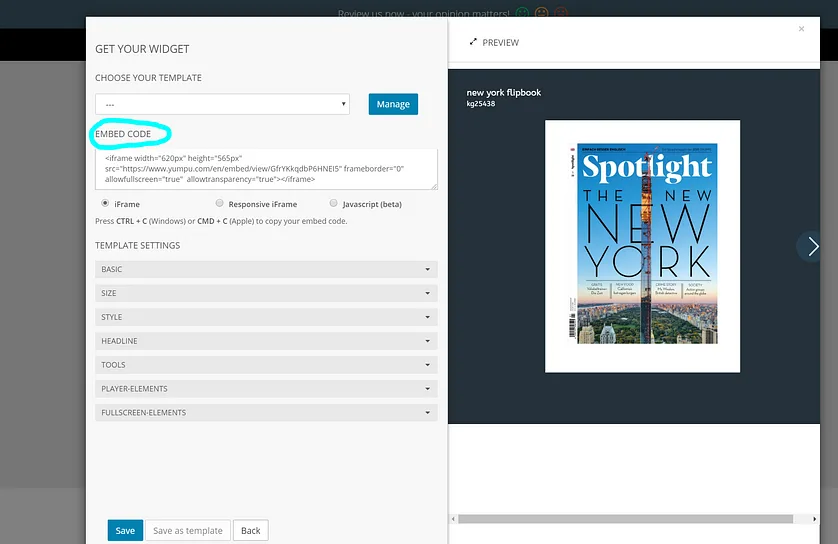
Click the "Embed" button on your publication page. A configuration panel opens where you can adjust the size and visual style of the embedded viewer before copying the code.
Once you've customized the look, click "Save" and copy the generated embed code. Paste it directly into your website's HTML — your flipbook will appear as an interactive, page-turning viewer right on the page. This is a particularly effective upgrade for anyone currently linking to static PDFs from their site. Visitors get a far richer experience, and you get longer on-page engagement time.
Why a Flipbook Beats a Static PDF
If you've been distributing documents as plain PDF downloads, switching to an interactive flipbook can make a noticeable difference. For freelancers and small businesses in particular, the benefits of using create a flipbook online in three simple steps workflows are compelling — no printing costs, no postage, and no need to redistribute an updated file every time something changes.
Here's a quick summary of what makes the interactive flipbook format stand out as page turning software for modern publishing:
Works on all devices — smartphones, tablets, and desktops
Optimized for all major browsers
Supports HTML5, so no plugin required for readers
Customizable with your own logo and branding
Embeds video and audio directly within the publication
Fully integrated social sharing to reach a wider audience
Improved Google indexing compared to a downloaded PDF
Easy to update — changes reflect immediately without redistributing files
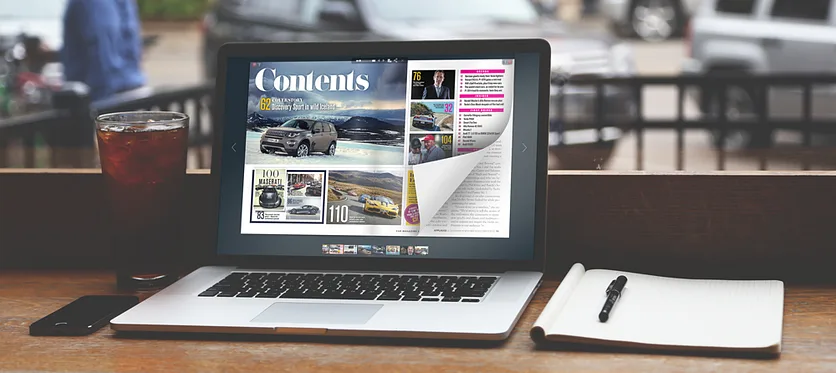
Whether you're building a seasonal product catalog, a portfolio, a digital magazine, or a client presentation, the flipbook format makes your content feel polished and intentional. It's the kind of output that used to require a professional agency — now it takes less than 20 minutes and costs nothing to start.
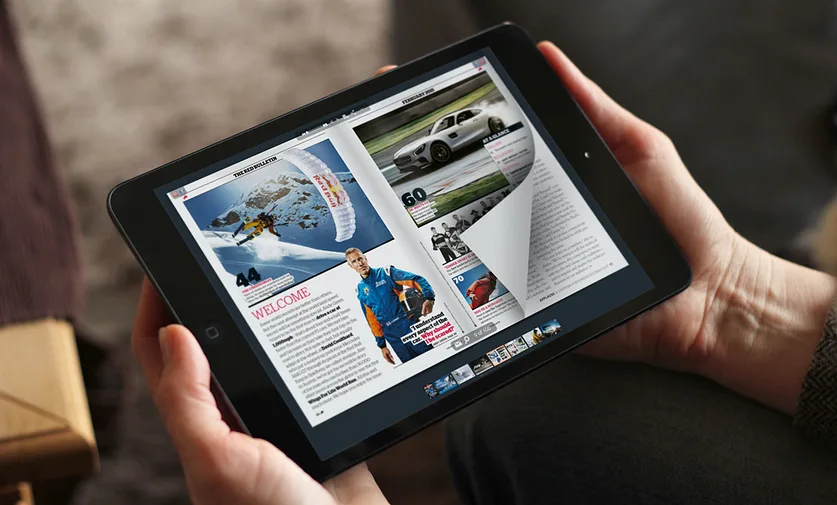
If you want to explore more approaches to building and distributing flipbooks, the guide on how to make a flipbook covers additional use cases and creative techniques worth checking out.
Summary
Making a flipbook online is genuinely simple once you have the right tool in place. Prepare a well-structured PDF, upload it to a platform that handles the conversion, configure your metadata for search visibility, and then share or embed the result wherever your audience is. The entire workflow takes under 20 minutes and requires no technical background — just your content and a few clicks.
For designers and content creators stepping out on their own, this kind of digital publishing capability removes one of the biggest friction points: getting polished work in front of an audience quickly and at minimal cost. A well-made flipbook doesn't just look professional — it performs better, travels further, and stays fresher than any printed or static PDF equivalent.
FAQ: How to Make a Flipbook Online
What is an online flipbook?
An online flipbook is a digital publication that mimics the page-turning experience of a physical book or magazine. It's typically created by converting a PDF into an interactive viewer that readers can browse in their browser, without downloading anything.
Do I need design experience to make a flipbook?
No. If you can create or save a PDF, you can make a flipbook. The flipbook software handles the conversion automatically. You simply upload your file, add a title and tags, and publish.
Is it really free to create a flipbook online?
Yes — platforms like YUMPU Publishing offer free plans that include the core features needed to create, share, and embed a flipbook. Paid plans add advanced options like custom branding and analytics, but the free tier is a solid starting point.
What file format do I need to create a flipbook?
A PDF file is the standard input format for most flipbook tools. All pages should be in a single PDF, and the file should not be password-protected. Make sure fonts are embedded and resolution is at least 180 DPI for clean output.
Can I embed a flipbook on my WordPress or website?
Yes. After publishing your flipbook, you'll get an embed code that can be pasted directly into any website's HTML. This works with WordPress, Squarespace, custom sites, and most other platforms.
Will my flipbook be visible in Google search results?
It can be, especially if you add a descriptive title, relevant tags, and a detailed description when configuring your publication. These metadata fields help search engines index and rank your flipbook content — something a plain PDF download rarely achieves.
Can I share my flipbook on social media?
Absolutely. Most flipbook platforms include one-click sharing to Facebook, LinkedIn, Twitter, and other networks. Flipbooks tend to generate more engagement than shared PDF links because readers can preview content directly in their feed.
What's the difference between a flipbook and a digital magazine?
The terms are often used interchangeably. A digital magazine typically refers to structured editorial content (articles, images, layouts), while a flipbook can be any document — a catalog, portfolio, brochure, or report — converted into an interactive page-turning format. Both are created the same way.
Can I update my flipbook after publishing it?
Yes. You can replace the underlying PDF or edit the title, description, and tags at any time. Updates take effect immediately, which means anyone accessing your embed code or shared link always sees the latest version — a major advantage over distributing static PDF files.
How long does it take to create a flipbook from scratch?
If your PDF is already prepared, the entire process — uploading, configuring, and publishing — takes around 10 to 20 minutes. Most of that time is spent fine-tuning the title, description, and tags for better discoverability.
 Robert Taylor
Visual artist, sometimes triathlete, holder of serious parking karma & drip coffee skills. Web developer, creative, music maker, cook. Yep, that's me!