
Create jQuery Flipbook Easily!
Updated on: 06.08.2026
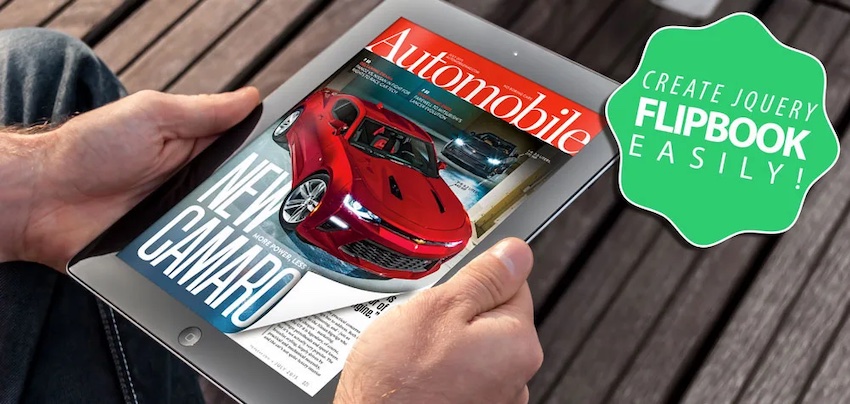
A jQuery flipbook is one of the most effective ways to present documents, portfolios, and publications online — no Flash, no complicated code, and no printing costs required. In this step-by-step tutorial, you'll learn exactly how to create a stunning, responsive jQuery flipbook from a PDF using YUMPU Publishing, completely free of charge.
Why a jQuery Flipbook Beats a Static PDF
Sending out physical photocopies or static PDF files to clients and agents is quickly becoming an outdated practice — and in some industries, it's even seen as unprofessional. For digital creators, artists, freelancers, and small business owners, the ability to present work in an interactive, visually engaging format makes a real difference. That's where a jQuery-powered flipbook comes in.
A jQuery flipbook offers clear advantages over traditional PDF files:
Readable on all devices and screen resolutions — from smartphones to laptops
Fast loading times, unlike large PDF files
Visually appealing page-turning experience that mimics a real publication
Supports embedded video, audio, and clickable links
Can include your own branding and logo
No Flash required — pure jQuery-based rendering
Instead of limiting your digital portfolio to a file attachment in an email, a jQuery flipbook lets you share a link that opens an immersive reading experience — one that actually impresses clients and agents. For anyone building a digital portfolio, this format is worth exploring seriously.
Tutorial: How to Create a jQuery Flipbook Step by Step
Let's get straight to it. This tutorial walks you through every stage of creating your own jQuery flipbook — from preparing the PDF all the way to embedding it on your website.
Step 1: Prepare Your PDF
Every jQuery flipbook starts with a PDF. If you already have one ready, you can skip ahead to Step 2. If not, you'll need to create one first.
A practical approach is to use Photoshop with a magazine template purchased from a marketplace like graphicriver.net (templates typically cost $10–$15 for 10 pages). Once downloaded, you'll usually receive a set of PSD files — one for the cover and back, and others for the inner double pages.
Style each page to your liking, then crop the double-page spreads into individual pages. Save each page as a PDF via File → Save As → Photoshop PDF. Once all pages are saved individually, number them in order (1, 2, 3…) and merge them using a free online tool.
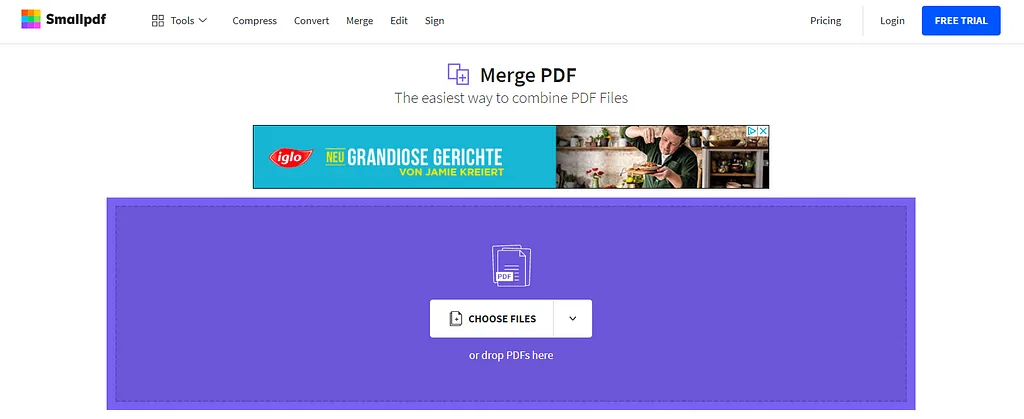
A reliable option for merging PDFs is SmallPDF — simply drag in your numbered files and download the merged result. Your PDF is now ready for upload.
Step 2: Register and Upload to YUMPU
Head over to the free flipbook publishing platform YUMPU Publishing and create a free account. Enter your email address, confirm via the activation link you receive, then set a username and password.
Once your account is active, drag your merged PDF directly onto the upload area and drop it to begin the upload. Larger files (like a multi-page Photoshop magazine) may take a few minutes to process — just let it run.
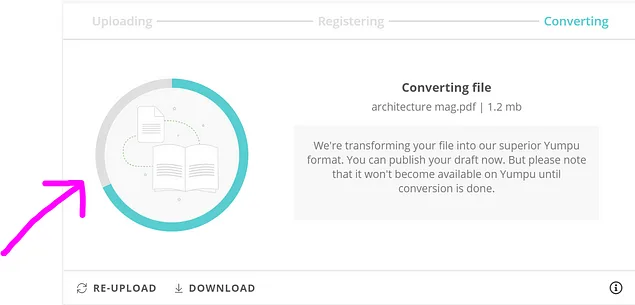
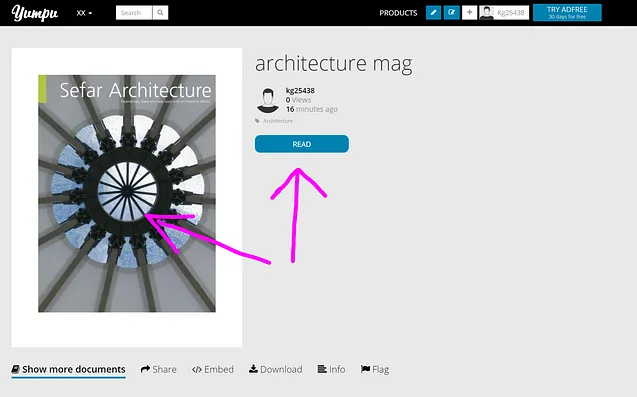
After uploading, hover over your profile icon in the top-right corner and click "My publications" to access the document manager. From there, click the pencil icon next to your publication, select "Publish Now", and then hit the "Read" button to view your converted jQuery flipbook live.
Step 3: Configure Your Magazine Settings
Before sharing your flipbook, take a few minutes to configure it properly. In the document manager, click "Edit magazine" to access the settings panel.
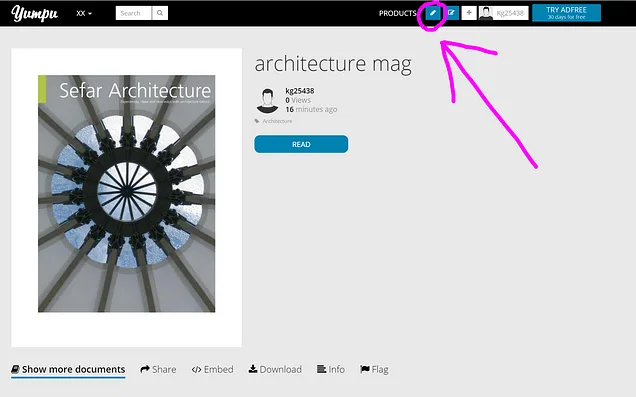
Here you can add a compelling title, a well-written description, and relevant tags. These settings directly influence how well your flipbook PDF ranks on search engines like Google and Bing. A well-optimized title that people want to click on will bring in new readers and potential customers organically — without any paid advertising.
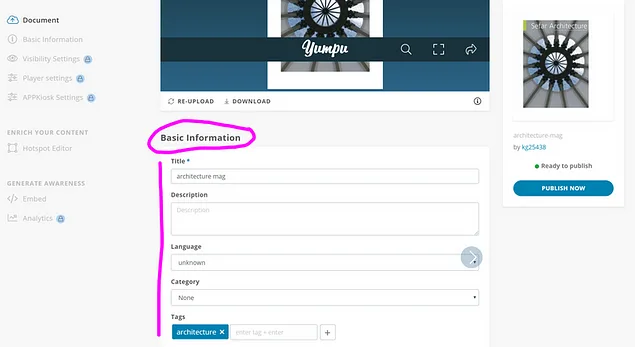
Advanced settings such as privacy controls, download options, and branding removal are available in the paid plans. For most use cases, the free account settings are more than sufficient to get started.
Step 4: Add Multimedia with the Hotspot Editor
One of the standout features of a jQuery flipbook is the ability to embed video, audio, and links directly onto any page. This is done via a drag-and-drop interface called the Hotspot Editor.
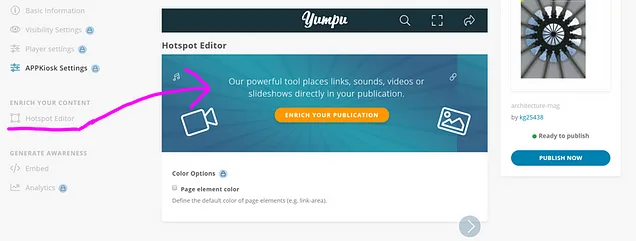
To add a video, navigate to the page where you want the element to appear using the right-side navigation bar. Click the video icon in the left sidebar, then click on the page at the spot where you want the video placed. Drag to resize the element as needed, then release.
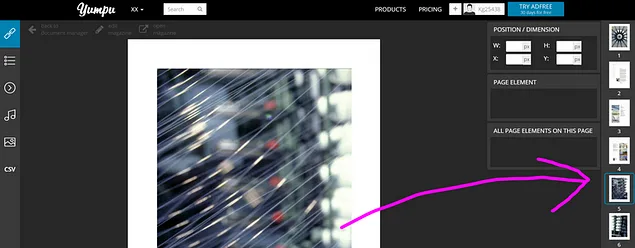
A configuration window will appear on the right side. Fill in the name, dimensions, and video source URL, then hit save. The same process applies for adding audio files or clickable links.
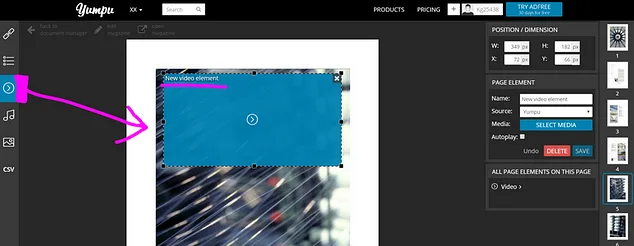
Once your multimedia elements are in place, your jQuery flipbook is fully enriched and ready to be shared with the world.
Step 5: Share and Embed Your jQuery Flipbook
Getting your flipbook in front of readers is straightforward. Open your published magazine and click "Share" to access the social media sharing options.
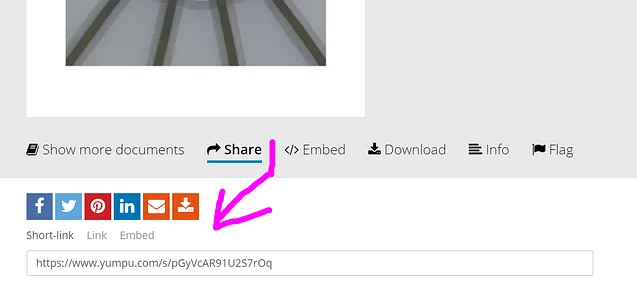
Select your preferred social media channel, add a title and description, and hit "Share". If you share to Facebook, the flipbook is directly readable right there in the feed — no redirects needed. Reaching new audiences through social sharing is one of the fastest ways to grow the readership of your digital portfolio or publication.
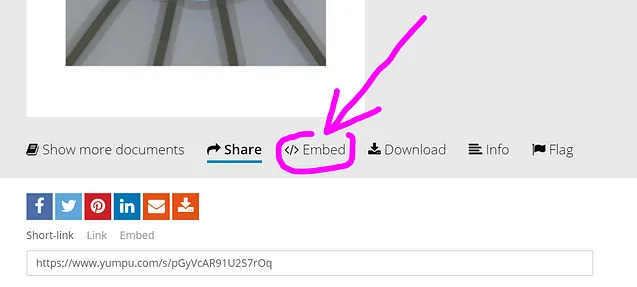
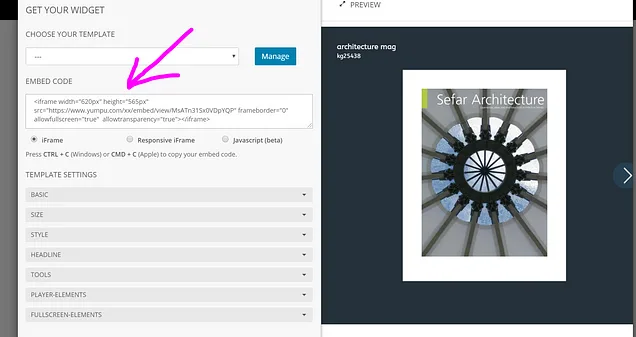
To embed your jQuery flipbook on a website or blog, open the flipbook and click "Embed". Choose the "Advanced Embed Widget" for a full magazine embed (there are also options for just a button, cover thumbnail, or text link).
Use the tabs on the left to style the widget to match your website's look, then save and copy the embed code. Paste it into your site's HTML, and your flipbook is live on your page — giving visitors an interactive reading experience without ever leaving your site.
Why YUMPU Is the Right Choice to Create a Flipbook for Free
There are several platforms that claim to offer flipbook creation, including Issuu and MagCloud. After looking into a number of options and reading our ISSUU review and alternatives, the verdict is clear: YUMPU Publishing stands out for its combination of simplicity, free access, and genuine functionality.

The free account gives you access to the core flipbook creation tools — upload, publish, share, embed, and add multimedia — without spending anything. For creators and businesses on a tight budget, this eliminates the need to pay for printing, postage, or distribution of physical materials. Your flipbook lives online, is always up to date, and can be updated anytime without reprinting costs.
YUMPU-hosted flipbooks are also indexed by Google, which means your publication can show up in search results when people look for topics you cover. That kind of passive discoverability is something a static PDF simply cannot offer. If you're looking to embed a flipbook online in a way that also benefits your SEO, YUMPU's setup makes that genuinely achievable without any technical expertise.
Ready to publish your first interactive magazine? Create your free account on YUMPU and get started in minutes.
For a deeper technical look at the underlying technology, the jQuery flipbook creation guide on the YUMPU blog is a useful reference.
Flipbooks vs. PDFs: A Clear Winner for Digital Presentations
Static PDF files have their place, but they come with real limitations when it comes to audience engagement. They're not responsive by default, they don't load interactively, and they offer no visual storytelling beyond flat pages.
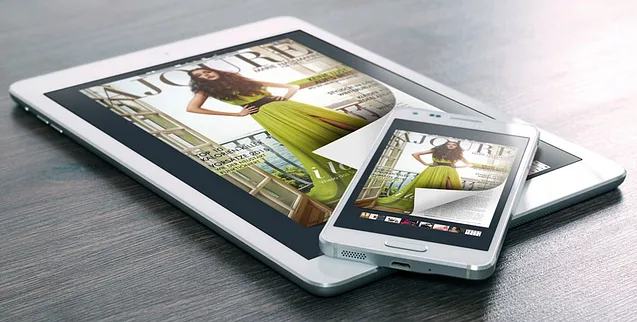
A jQuery flipbook, by contrast, gives readers a familiar, tactile-feeling experience — flipping through pages just like a real magazine or portfolio. Combined with embedded video and audio, it reaches both visual and auditory learners, making your content more memorable and effective.
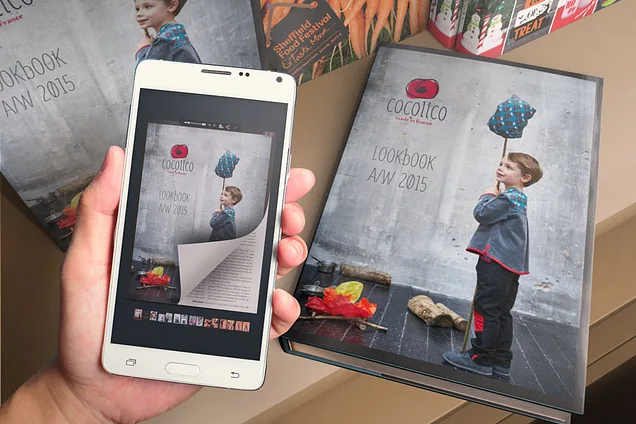
Beyond engagement, there's the practical side: once your flipbook is published, you can embed it in your email footer, link to it from your social media profiles, or place it directly on your website. Each of these touchpoints drives traffic back to your content — all without any ongoing cost or manual distribution effort.
Whether you're an artist showcasing a portfolio, a business presenting a product catalog, or a publisher distributing a magazine digitally, a jQuery flipbook created on YUMPU is a practical, professional, and cost-free solution. Everything covered in this flipbook tutorial is achievable with the free plan — no credit card, no hidden fees.
Summary: Key Reasons to Create a jQuery Flipbook Today
To recap the core benefits before you get started:
Fast loading times — readers get your content immediately, without waiting for large files to download
Completely free to start — YUMPU's free account covers all essential flipbook creation and publishing features
Easy customization — fonts, layouts, branding, and multimedia can all be adjusted without technical skills
Works on every device — smartphones, tablets, laptops, and desktops all display your flipbook correctly
Google-indexable — your publication can appear in search results, bringing in organic readers over time
Secure and reliable — documents hosted on YUMPU are stored securely with no data concerns
Interactive reading features — zoom, full-screen mode, background music, and page-flip animation are all built in
The only thing between you and your first jQuery flipbook is about ten minutes of your time. The setup is genuinely that straightforward.
FAQ: jQuery Flipbook Creation with YUMPU
What is a jQuery flipbook?
A jQuery flipbook is an interactive digital publication that uses jQuery — a JavaScript library — to simulate the page-turning effect of a real book or magazine. Unlike static PDFs, it works on all devices and can include multimedia elements like video, audio, and links.
Do I need coding skills to create a jQuery flipbook?
No coding skills are required. Tools like YUMPU Publishing handle all the technical conversion automatically. You simply upload a PDF and the platform takes care of the rest.
Is YUMPU Publishing really free?
Yes, YUMPU offers a free account that includes core flipbook features such as uploading, publishing, sharing, and embedding. Premium plans are available for additional features like removing ads or enabling download options, but the free tier is fully functional for most users.
What file format do I need to upload a flipbook?
You need a PDF file. This is the standard input format for all jQuery flipbook creation on YUMPU. Once uploaded, the platform converts it automatically into an interactive flipbook.
Can I embed a jQuery flipbook on my own website?
Yes. YUMPU provides an embed code (including an Advanced Embed Widget) that you can paste into your website's HTML. This allows visitors to read the flipbook directly on your site without being redirected.
Will my jQuery flipbook show up on Google?
Yes, flipbooks published on YUMPU are indexed by Google. Adding a clear title, description, and relevant tags to your publication improves its chances of appearing in search results for related queries.
Can I add video and audio to my jQuery flipbook?
Yes. YUMPU's Hotspot Editor allows you to add video, audio, and clickable link elements to any page using a simple drag-and-drop interface — no technical knowledge needed.
How do I share a jQuery flipbook on social media?
Open your published flipbook, click the "Share" button, and choose your preferred social media channel. On platforms like Facebook, the flipbook can be read directly in the feed without the reader needing to leave the platform.
Is a jQuery flipbook mobile-friendly?
Yes. jQuery flipbooks created with YUMPU are fully responsive and work on smartphones, tablets, and desktop computers. There are no compatibility issues across devices or operating systems.
What's the difference between a free and a paid YUMPU account?
The free account covers the core flipbook features — uploading, publishing, embedding, sharing, and multimedia hotspots. Paid plans add features such as removing YUMPU branding and ads, enabling PDF downloads for readers, and accessing advanced privacy settings.
 Robert Taylor
Visual artist, sometimes triathlete, holder of serious parking karma & drip coffee skills. Web developer, creative, music maker, cook. Yep, that's me!